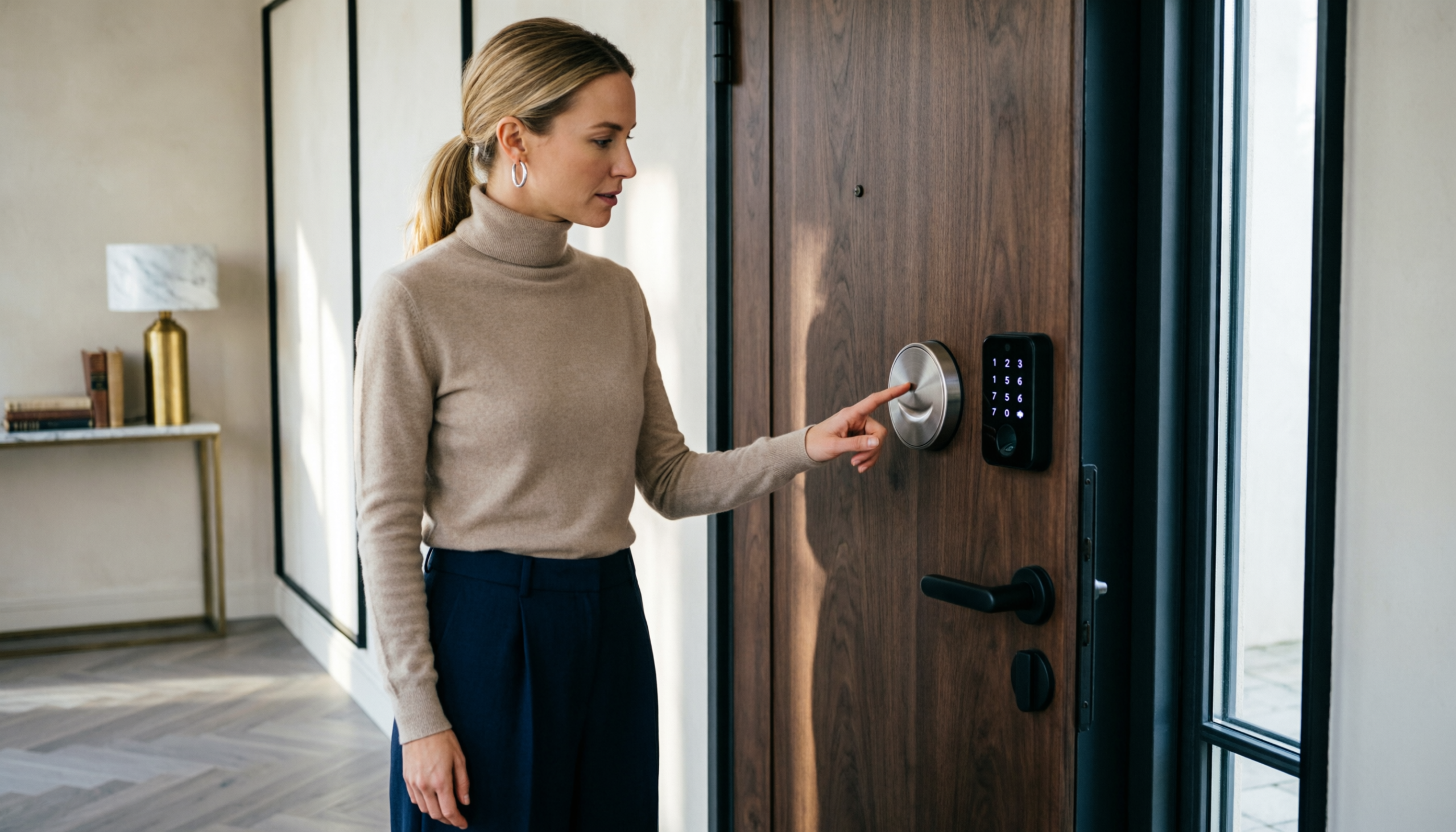
Fingerprint vs Keypad Smart Locks
Fingerprint smart locks suit households prioritizing fast, personalized entry, while keypad smart locks better serve homes sharing access with guests or staff. Code management provides the decisive advantage for multi-user households.
Fingerprint Locks vs Keypad Locks
| Comparison | Fingerprint smart lock | Keypad smart lock |
|---|---|---|
| Primary strength | Personalized biometric entry | Flexible shared access |
| Performance | Fast recognition under suitable conditions | Fast entry with a correct code |
| Maintenance | Sensor cleaning and battery checks | Keypad cleaning and battery checks |
| Durability | Sensor performance depends on cleanliness and condition | Button or touchscreen durability depends on construction |
| Price | Amazon | Amazon |
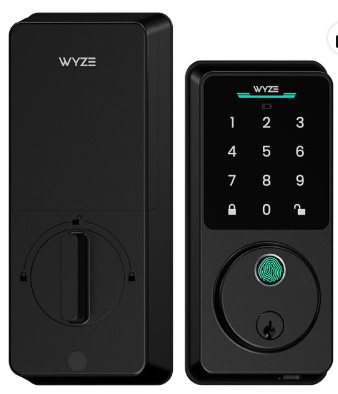
Fingerprint Smart Lock
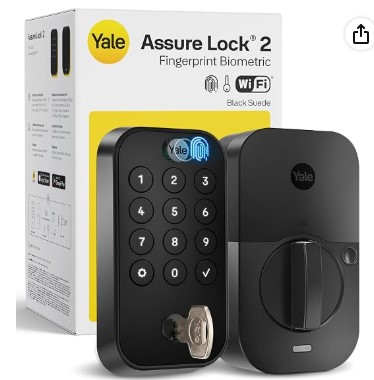
Keypad Smart Lock
The Fundamental Difference
Fingerprint locks authenticate entry through biometric data. A registered fingerprint acts as the credential, allowing the lock to compare a presented print against enrolled templates. Successful recognition triggers the unlocking mechanism.
Keypad locks authenticate entry through a numerical code. A user enters an authorized PIN, and the lock checks the code against stored credentials before granting access.
The architectural difference is biometric identity versus knowledge of a secret code.
Fingerprint access eliminates the need to remember a PIN, but recognition depends on sensor quality, finger condition, and enrollment accuracy. Keypad access avoids biometric recognition problems, but codes can be shared, observed, forgotten, or reused carelessly.
Neither architecture automatically guarantees stronger physical security. Lock construction, encryption, authentication safeguards, installation quality, and resistance to tampering remain important.
Testing Conditions
A credible comparison should evaluate both lock types on the same compatible door, under similar lighting, temperature, and humidity conditions. Each lock should undergo repeated authorized entry attempts over an equal testing period, using multiple registered fingerprints or PINs where supported.
Measurements should include successful first attempts, average unlocking time, failed authentication, battery consumption, and setup effort. Shared household access should also be assessed through user additions, credential removal, and temporary access management.
No controlled laboratory results or hands-on measurements are claimed in this article. The comparison uses practical operating characteristics and decision criteria rather than invented test scores.
Performance Test: Six Practical Dimensions
Performance
Fingerprint: Provides convenient entry when the sensor recognizes a registered print. Moisture, dirt, worn fingerprints, or minor skin damage can affect recognition.
Keypad: Provides consistent access when the entered code is correct and the keypad responds properly. Forgotten codes and accidental entry errors remain common obstacles.
Speed
Fingerprint: Can unlock quickly after successful recognition, without requiring memorized numbers or several button presses.
Keypad: Usually requires a short sequence of button presses. Short PINs and responsive keypads can make entry nearly as quick as fingerprint recognition.
Noise
Fingerprint: Often produces minimal interaction noise, although motorized deadbolts may still make a noticeable sound.
Keypad: Physical buttons may click, while touchscreen keypads may use audible feedback. Motor noise depends on the locking mechanism rather than the authentication method alone.
Reliability
Fingerprint: Reliability depends on sensor quality, correct enrollment, finger condition, and environmental exposure.
Keypad: Reliability depends on functioning buttons or touchscreens, accurate code entry, and adequate battery power. Worn physical buttons can reveal frequently used digits on some models.
Maintenance
Fingerprint: Requires periodic sensor cleaning, battery checks, and occasional fingerprint re-enrollment.
Keypad: Requires keypad cleaning, battery checks, and responsible PIN management. Touchscreens may need more careful cleaning than durable physical buttons.
Installation
Fingerprint: Installation requirements depend on door thickness, lock dimensions, alignment, and available power. Some models require compatible door preparation or a separate hub.
Keypad: Similar mechanical requirements apply. A keypad lock may offer simpler setup when the model uses straightforward PIN programming and standard door hardware.
Neither type guarantees a quick installation. Door alignment and deadbolt movement often matter more than the authentication method.
Where Fingerprint Smart Locks Win
Fingerprint locks have the advantage when repeated entry must remain quick and convenient without sharing credentials.
- Busy households: Frequent arrivals become easier when registered users can unlock the door with a finger.
- Children and family members: Fingerprint access removes the need to memorize a PIN, although enrollment and backup entry remain important.
- Personalized access: Individual fingerprints can be registered or removed on supported models.
- Reduced code sharing: Entry does not require revealing a household PIN to every regular user.
The main limitation is biometric inconsistency. Wet, dirty, or damaged fingertips may fail to register correctly. A reliable backup method remains essential, particularly when several household members have different fingerprint conditions.
Where Keypad Smart Locks Win
Keypad locks excel when access must extend beyond permanent household members.
- Domestic staff and caregivers: Separate codes simplify access management when supported by the model.
- Guests and deliveries: Temporary or scheduled PINs can limit access without requiring fingerprint enrollment.
- Rental properties: Codes can be changed between occupants, reducing dependence on physical key handovers.
- Backup convenience: A keypad avoids fingerprint recognition failures, although forgotten codes and damaged keypads remain possible.
Advanced keypad locks may support individual user codes, temporary PINs, schedules, and access logs. Basic models may lack these functions, so buyers should verify each feature before purchase.
The biggest weakness is code exposure. Someone who watches a PIN being entered or obtains a shared code may gain access until the code changes or expires.
The Hidden Cost
The purchase price represents only part of smart-lock ownership. Installation, batteries, replacement parts, optional connectivity, and credential management can affect total expenditure.
- Accessories: Wi-Fi bridges, hubs, or door sensors may cost extra when remote control or advanced monitoring is required.
- Consumables: Both systems generally use replaceable batteries. Battery type and replacement frequency vary by model.
- Installation: Existing deadbolt compatibility can reduce installation expenses. Door modifications or professional fitting can increase costs.
- Maintenance: Fingerprint sensors need suitable cleaning; keypads need cleaning and occasional code updates.
- Replacement: Sensor failures, worn keypads, damaged electronics, and obsolete connectivity components can generate repair costs.
- Energy: Both systems consume battery power. Motorized locking, wireless connectivity, and frequent operation influence battery life.
- Time: Fingerprint enrollment takes initial setup time. Keypad management takes time when creating, sharing, updating, and removing codes.
A lower purchase price does not automatically produce lower lifetime costs. Credential-management needs and optional connectivity often determine the better overall value.
Which One Fits Your Home?

Choose a fingerprint smart lock when:
- Most users are permanent household members.
- Frequent entry and quick authentication matter more than sharing access.
- Remembering PINs creates unnecessary inconvenience.
- Fingerprint recognition works reliably for registered household members.

Choose a keypad smart lock when:
- Domestic staff, caregivers, guests, or tenants need separate access.
- Temporary or scheduled codes would simplify household routines.
- Fingerprint recognition problems are a concern.
- Frequent changes to authorized access are expected.
For households needing both personalized convenience and flexible visitor access, a hybrid fingerprint-and-keypad smart lock may provide the strongest combination. Confirm that the selected model supports both methods independently and includes a dependable emergency-entry option.
1-Year Ownership Comparison
| Cost | Fingerprint lock | Keypad lock |
|---|---|---|
| Purchase | Moderate to high | Low to high |
| Consumables | Replacement batteries | Replacement batteries |
| Maintenance | Sensor cleaning and upkeep | Keypad cleaning and upkeep |
| Accessories | Optional hub or connectivity | Optional hub or connectivity |
| Energy | Model-dependent battery use | Model-dependent battery use |
| Estimated first-year total | Product price + actual operating costs | Product price + actual operating costs |
Final Verdict
For households prioritizing quick, personalized access, fingerprint smart locks offer convenient entry without memorized codes. For homes accommodating staff, guests, tenants, or changing schedules, keypad smart locks provide greater flexibility through manageable PINs. Households requiring both benefits should consider hybrid models with reliable backup access and straightforward user controls.
FAQs
1. Are fingerprint smart locks safer than keypad smart locks?
Neither type is universally safer. Fingerprint authentication reduces dependence on shared PINs, while keypad security depends on code confidentiality and access controls. Strong encryption, tamper resistance, secure installation, and reliable backup access matter for both systems.
2. Can multiple users access a fingerprint or keypad smart lock?
Yes. Many fingerprint locks support multiple registered fingerprints, while many keypad locks support multiple PINs. Capacity varies by model. Individual codes can simplify access removal, and fingerprint enrollment can provide personalized entry without shared numbers.
3. Which smart lock is better for rental properties?
Keypad smart locks generally suit rental properties better because supported models allow PIN changes, temporary codes, and scheduled access. Fingerprint locks can work for long-term occupants, but frequent biometric enrollment and removal may create unnecessary administrative work.
To Wrap It Up
Fingerprint locks prioritize convenient personal entry, while keypad locks simplify shared household access. Compare credential management, security safeguards, installation requirements, battery costs, and backup entry before choosing a smart lock.