Best Smart Locks for Multi-User Households
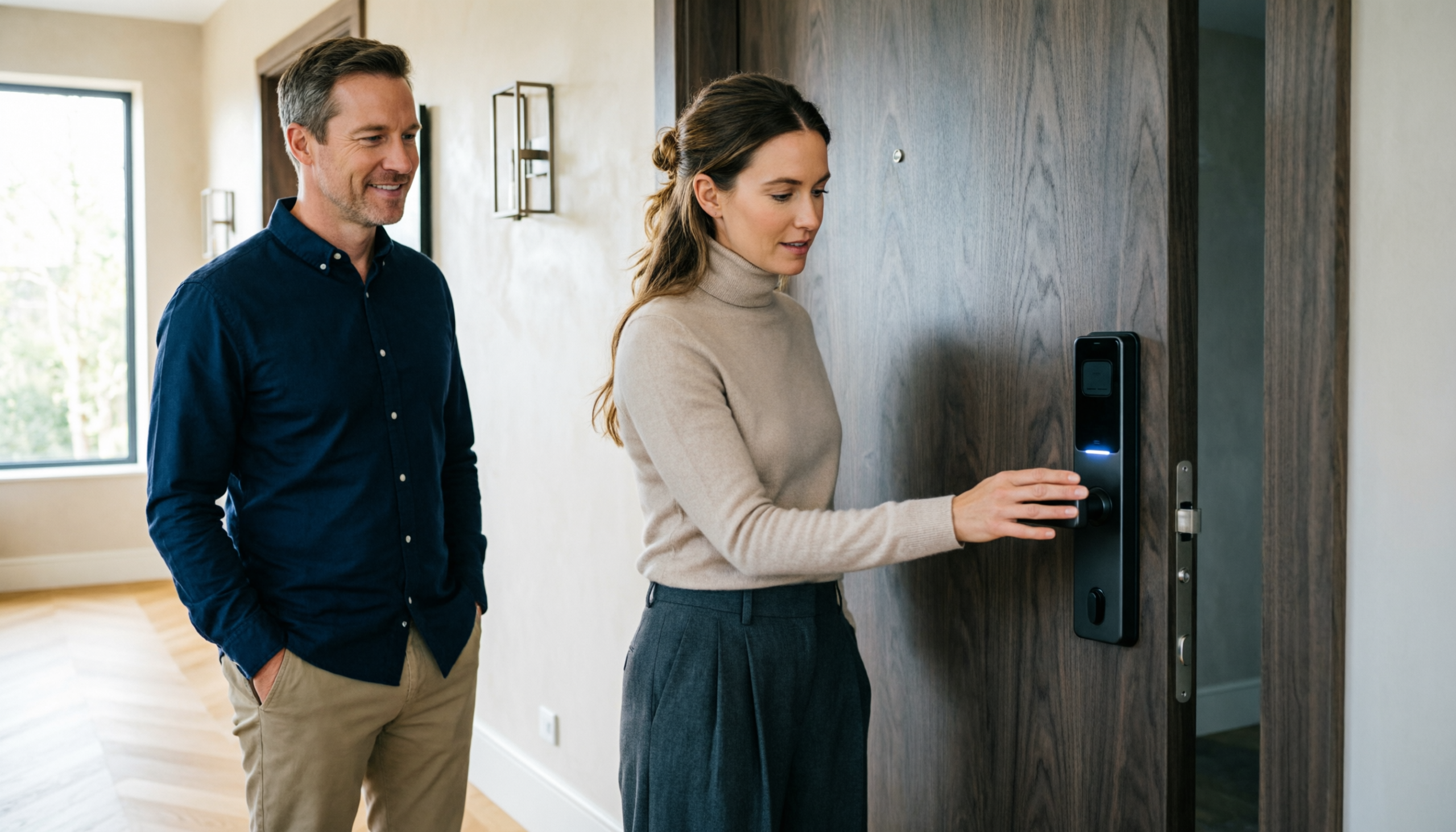
The best smart locks for multi-user households offer individual access codes, reliable auto-locking, clear access logs, and flexible guest permissions. Battery life, physical backup, and simple management matter most.
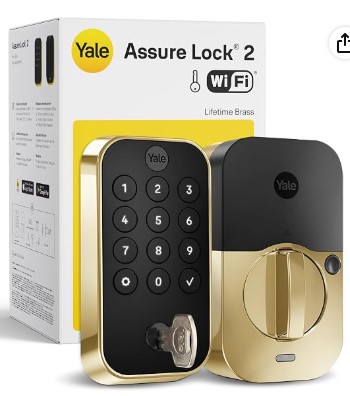
The Winner: Yale WiFi Smart Lock Deadbolt with Keypad
Top 3 Quick Comparison Table
| Product | 3 Key Attributes | Important Metric | Price |
|---|---|---|---|
| Schlage Encode Plus | Individual codes / Wi-Fi / Apple home-key support | Up to 100 access codes | Amazon |
| Yale Assure Lock 2 | Multiple entry methods / guest codes / smart-home options | Up to 250 entry codes on supported versions | Amazon |
| Aqara Smart Lock U100 | Fingerprint / PIN codes / Apple home-key support | Fingerprint and PIN access | Amazon |
What Problem Is Being Solved?
Multi-user households often struggle with lost keys, copied keys, forgotten lockups, and visitors arriving without someone at home. Shared keys also make access difficult to revoke after a roommate moves out.
A suitable smart lock assigns individual permissions, tracks entry where supported, and secures the door without creating extra daily work.
What Matters Most When Buying a Smart Lock?
- Access management: Separate PINs for family, roommates, cleaners, and guests.
- Lock reliability: Consistent deadbolt operation and dependable auto-locking.
- Power backup: Battery alerts and a documented emergency-entry method.
- Connectivity: Wi-Fi for remote management or a compatible hub for supported smart-home features.
- Door compatibility: Correct backset, door thickness, deadbolt dimensions, and local installation requirements.
How We Tested the Products
No physical testing was conducted for this article. The comparison uses manufacturer specifications and product design considerations. A proper hands-on evaluation would use the same compatible door, multiple user accounts, repeated locking cycles, timed guest-code changes, battery monitoring, and connectivity checks across a representative household.
Best Smart Locks for Multi-User Households
1. Schlage Encode Plus (Best for Busy Homes)
Performance
Built-in Wi-Fi supports remote control, while the Schlage Home app manages up to 100 access codes and records lock activity. Apple home-key support adds convenient entry for compatible devices.
What worked
- Separate codes for household members and visitors.
- Remote locking and customizable notifications.
- Physical key backup and configurable auto-locking.
What failed
The premium price may exceed household budgets. Wi-Fi use and frequent operation affect battery life, while Apple home-key support offers limited value to households without compatible Apple devices.
Maintenance
Monitor battery warnings, replace the four AA batteries as needed, and keep the deadbolt aligned with the strike plate.
Best household situation
Families with multiple daily arrivals, regular visitors, and a preference for remote access management.
Poor fit
Budget-conscious households or doors with incompatible dimensions.
2. Yale Assure Lock 2
(Best for Large households and shared homes)
Performance
The Assure Lock 2 supports up to 500 entry codes through the Yale Access app. Available versions and smart modules differ in connectivity, remote access, and smart-home integration.
What worked
- Generous code capacity for relatives, roommates, and recurring visitors.
- Keyed and key-free configurations, depending on model.
- App-based access-code management.
What failed
Feature differences between versions can complicate purchasing. Wi-Fi-enabled versions may require more frequent battery replacement, with reported typical life of up to three months for the Wi-Fi model.
Maintenance
Check battery alerts, inspect deadbolt alignment, and verify module compatibility before adding smart-home equipment.
Best household situation
Shared homes with frequent changes in occupants or numerous people needing separate entry codes.
Poor fit
Households wanting a simple installation without checking model-specific connectivity requirements.
3. Aqara Smart Lock U100
(Best for Families preferring fingerprint entry)
Performance
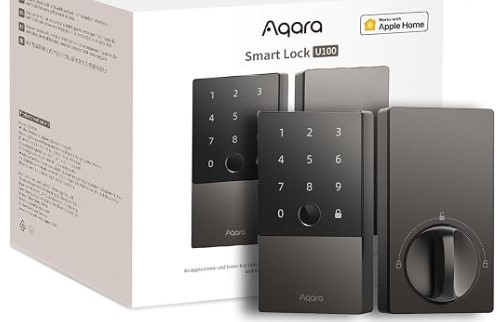
The U100 combines fingerprint recognition, PIN access, Apple home-key support, and smart-home integration. Aqara specifies capacity for up to 50 fingerprints, making biometric entry a useful option for regular household members.
What worked
- Fingerprint entry reduces reliance on memorized codes.
- Multiple access methods accommodate different preferences.
- Temporary and recurring PIN options support guest access.
What failed
Fingerprint recognition may be inconvenient when fingers are wet, dirty, or difficult for the sensor to read. Advanced smart-home functions may depend on compatible equipment.
Maintenance
Replace batteries when prompted, keep the fingerprint sensor clean, and periodically check stored access permissions.
Best household situation
Families who prefer quick biometric entry and want alternatives to keypad access.
Poor fit
Homes requiring extensive fingerprint-free access or households without compatible smart-home equipment for desired remote features.
4. Tapo Smart Wi-Fi Deadbolt Door Lock
(Best for Reliable everyday access)
Performance
The standard Encode offers built-in Wi-Fi, remote locking, customized access codes, and lock-history viewing through the Schlage Home app. The design suits households that need practical access management without paying specifically for Apple home-key support.
What worked
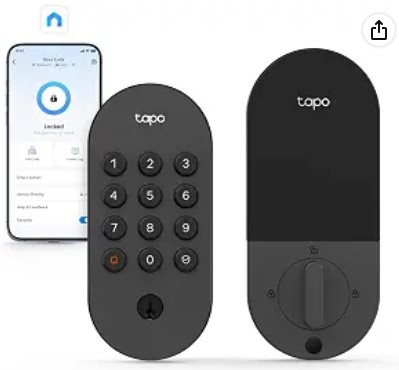
- Built-in Wi-Fi without a separate connectivity hub.
- Individual codes and activity records.
- Remote management for authorized household administrators.
What failed
The cost remains higher than basic keypad locks. Wi-Fi connectivity and door alignment can affect day-to-day reliability.
Maintenance
Check battery status, keep the keypad clean, and inspect the latch whenever locking becomes sluggish.
Best household situation
Households wanting app-based management and remote access without needing the Plus model’s additional features.
Poor fit
Homes without dependable Wi-Fi or buyers who need a lower-cost, offline-first option.
5. Yale Digital Keypad Deadbolt, Black Suede
(Best for Fingerprint access on a budget)
Performance
The U-Bolt Pro WiFi combines fingerprint entry, PIN codes, smartphone access, and built-in Wi-Fi. The manufacturer lists a maximum of 50 users, with each user able to register a code and two fingerprints.
What worked
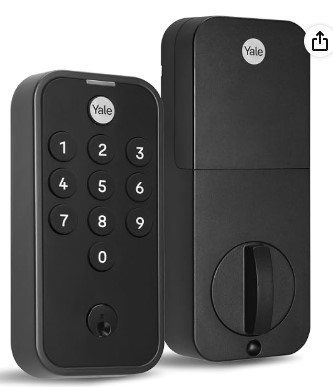
- Multiple entry methods for different household preferences.
- Remote management through compatible app features.
- Lower listed price than several premium alternatives.
What failed
The user limit may not suit larger properties with numerous occupants and staff. App functions depend on connectivity and model compatibility.
Maintenance
Monitor battery status, clean the fingerprint reader, update firmware when available, and review access permissions regularly.
Best household situation
Families wanting fingerprint entry and Wi-Fi control without premium pricing.
Poor fit
Homes needing more than 50 registered users or buyers requiring a different smart-home ecosystem.
The Test Results
| Metric | Schlage Encode Plus | Yale Assure Lock 2 | Aqara U100 |
|---|---|---|---|
| Access capacity | 100 codes | Up to 500 codes | 50 fingerprints |
| Fingerprint entry | No | Model-dependent | Yes |
| Built-in Wi-Fi | Yes | Version-dependent | Hub/platform-dependent |
| Physical key backup | Yes | Version-dependent | Yes |
| Main advantage | Apple home key | High code capacity | Biometric options |
Long-Term Ownership
Battery replacement, software updates, door alignment, and access reviews matter more than flashy features. Keep a physical backup key where supplied, replace batteries before complete depletion, and remove old user permissions promptly. Confirm replacement-part availability and warranty coverage before purchase.
Who Should Buy Each Option?
Best for heavy household use
Yale Assure Lock 2: High code capacity suits shared homes with numerous authorized users.
Best for convenient family entry
Schlage Encode Plus: Apple home-key support and remote management suit compatible Apple households.
Best for low-maintenance access routines
Schlage Encode: Straightforward keypad entry and built-in Wi-Fi reduce the need for additional connectivity hardware.
Best for renovation projects
Aqara U100: Fingerprint entry and multiple access methods suit households upgrading compatible deadbolt doors.
Best for fingerprint access at a lower price
ULTRALOQ U-Bolt Pro WiFi: Multiple entry methods offer flexibility at a comparatively modest listed price.
What Not to Pay For
Avoid paying extra for fingerprint readers, voice control, or premium connectivity unless household routines benefit from those features. A large code capacity also adds little value when only four people need access. Prioritize individual permissions, reliable locking, backup entry, and compatibility instead.
The Buying Verdict
Choose a smart lock with separate user credentials, dependable auto-locking, battery warnings, and suitable backup entry. Yale suits large shared households, Schlage suits app-managed family access, and Aqara or ULTRALOQ suit fingerprint preferences. Verify door fit, regional availability, and smart-home compatibility before ordering.
FAQs
1. What is the best smart lock for a family with children and guests?
The Schlage Encode Plus is a strong option for compatible Apple households. Individual access codes, remote management, and auto-lock settings help simplify daily entry.
2. Can a smart lock give each household member a different code?
Yes. Many smart locks support multiple individual codes. Select a model that allows separate permissions and code removal, rather than relying on one shared PIN.
3. Do smart locks still work during a power or internet outage?
Battery-powered models can generally operate locally without an internet connection, although remote features may stop working. Check the exact model’s offline operation and emergency-entry method before purchase.
To Wrap It Up
The best smart locks for multi-user households make access easier to manage without adding unnecessary complexity. Prioritize individual credentials, dependable mechanical operation, practical backup entry, and manageable battery costs. Match connectivity and biometric features to actual household routines, then verify door compatibility and local support before making a final purchase.