The Residential Access-Flow Audit
A residential access-flow audit evaluates how efficiently smart locks manage household entry, user permissions, door operation, and emergency access. The audit identifies access bottlenecks, security gaps, and everyday usability problems.
The Short Answer
A residential access-flow audit checks whether smart locks support smooth, secure entry for every authorized household member. The assessment covers unlocking methods, user permissions, door alignment, battery reliability, connectivity, guest access, and emergency procedures.
Regular audits prevent frustrating lockouts, reduce access confusion, and strengthen everyday home security.
Why This Problem Happens
Smart locks can simplify home entry, but poor access planning can create delays, security weaknesses, and unnecessary frustration. Most access-flow problems stem from five common causes.
Cause 1: Poorly Planned User Permissions
Households often share permanent access codes with visitors, cleaners, relatives, or service providers. Shared credentials make accountability difficult and leave unnecessary access active after circumstances change.
Practical correction: Assign individual credentials, establish access schedules, and remove permissions immediately after access ends.
Cause 2: Too Few Reliable Unlocking Methods
A smart lock that depends entirely on a smartphone creates a potential bottleneck when a phone battery dies, an application fails, or connectivity becomes unreliable.
Practical correction: Maintain suitable backup access through a supported keypad, physical key, emergency power connection, or another manufacturer-approved method.
Cause 3: Mechanical Door Resistance
Smart locks rely on correct alignment between the door, latch, strike plate, and locking mechanism. Door sagging, swollen timber, loose hinges, or an incorrectly positioned strike plate can prevent reliable locking.
Practical correction: Correct mechanical resistance before adjusting electronic settings or replacing the lock.
Cause 4: Connectivity and Power Problems
Weak wireless coverage, depleted batteries, router interruptions, and outdated firmware can disrupt remote control, notifications, or automated routines.
Practical correction: Check battery status, wireless coverage, firmware compatibility, and local unlocking functionality.
Cause 5: Unclear Household Entry Routines
Children, older adults, household staff, guests, and residents may follow different entry habits. Unclear locking procedures can leave doors unsecured or create repeated access delays.
Practical correction: Establish simple entry rules, explain approved unlocking methods, and assign responsibilities for checking door security.
How to Diagnose the Problem
A residential access-flow audit begins with observation rather than assumptions about the smart lock.
Step 1: Map Every Entry Point
List the front door, back door, garage entrance, side entrance, and any other doors equipped with electronic access hardware.
Record the following details for each entrance:
- Lock type and supported unlocking methods.
- Authorized users and active credentials.
- Backup entry arrangements.
- Battery status and connectivity requirements.
- Emergency access procedures.
Step 2: Test Each Authorized Access Method
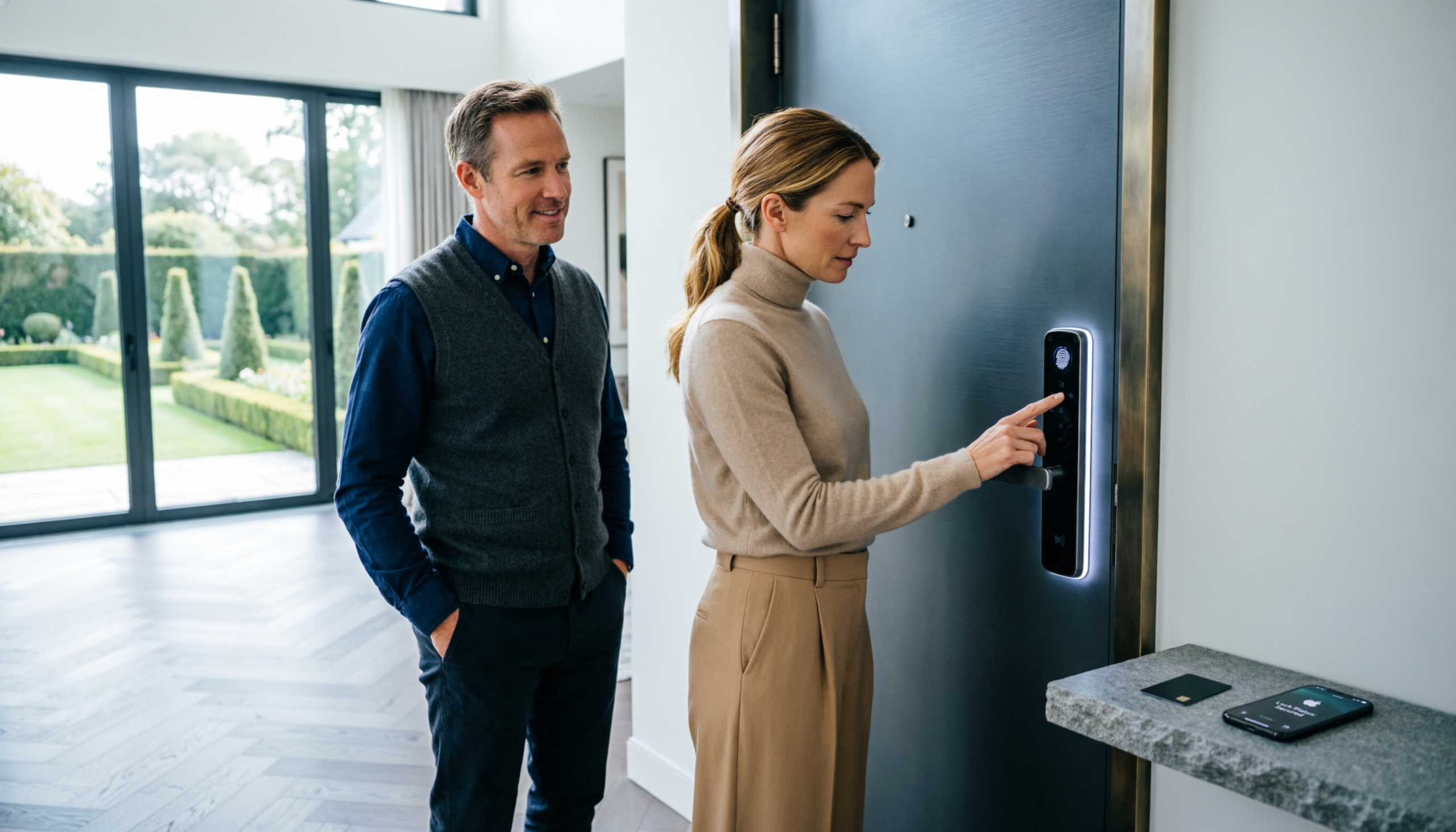
Test normal entry using every supported method, including keypad entry, fingerprint recognition, smartphone access, or physical keys where applicable.
Record unsuccessful attempts, repeated authentication, delays, and confusing operating steps. Test access methods only with authorized credentials and follow the manufacturer’s instructions.
Step 3: Inspect Mechanical Operation
Open the door and operate the lock according to the manufacturer’s procedure. Check whether the latch and deadbolt move smoothly without excessive force.
Compare operation with the door open and closed. If the lock operates smoothly while open but struggles when closed, door alignment or strike-plate positioning may be responsible.
Never force a jammed deadbolt or defeat a security mechanism to complete the test.
Step 4: Review User Permissions
Compare active credentials against the current list of authorized household members and service providers.
Check for duplicate codes, inactive users, unnecessarily broad access schedules, and missing restrictions for temporary visitors.
Step 5: Verify Backup Access
Confirm that the household understands the approved procedure for battery failure, connectivity loss, and electronic malfunction.
A backup method must be physically available, compatible with the installed lock, and usable by an authorized person.
The Homewardz Test
Run a seven-day access-flow test. Record each failed unlocking attempt, entry delay, battery warning, and door-locking problem. Test every authorized entry method at least twice, including a mechanical check with the door open and closed. Review the results to identify recurring faults before changing settings or replacing hardware.
What Makes the Problem Worse?
Shared permanent codes, neglected batteries, poor door alignment, weak wireless coverage, and complicated access routines increase smart-lock failures. Repeatedly forcing a resistant deadbolt can damage hardware.
Disabling security alerts may conceal faults. Depending on a single smartphone or unlocking method creates avoidable lockout risks. Correct mechanical problems before adding automation.
HOW TO FIX IT
A reliable correction plan addresses immediate entry problems, improves the access system, and prevents recurring failures.
Step 1: Correct Immediate Access Problems
Start with faults that interfere with normal entry or secure locking.
- Replace low batteries with the manufacturer-recommended type.
- Remove obsolete user credentials and reset compromised codes.
- Realign the strike plate or door hardware when appropriate.
- Clear obstructed latch paths and inspect loose hinges.
- Confirm that every authorized resident understands the backup entry procedure.
For damaged wiring, persistent electronic faults, or a jammed locking mechanism, arrange qualified service rather than forcing the hardware.
Step 2: Improve the Access System
Once the immediate faults are resolved, simplify the household access arrangement.
Create a user-permission schedule. Give permanent residents individual credentials and temporary users time-limited access whenever supported.
Choose suitable unlocking methods. Match the lock’s capabilities to household routines. A keypad may suit visitors who do not use a shared smartphone application, while fingerprint access may suit residents who prefer keyless entry.
Improve connectivity. Check the manufacturer’s recommended wireless range, router placement, and hub requirements. Preserve local entry functionality where the lock supports it.
Clarify locking procedures. Establish a consistent routine for checking the door after entry and confirming secure locking before leaving.
Step 3: Establish Long-Term Reliability
Create a maintenance schedule covering battery checks, credential reviews, mechanical inspections, and software updates.
Keep emergency instructions accessible to authorized household members. Review access permissions after changes in household staffing, tenancy, or visitor arrangements.
Record repeated faults rather than treating every failure as an isolated incident. A recurring problem usually points to an unresolved mechanical, electrical, connectivity, or procedural issue.
When a Product Solution Makes Sense
A new smart lock becomes appropriate when the existing hardware cannot meet genuine household access requirements after maintenance and configuration corrections.
Consider a different lock when the current model lacks essential features, provides insufficient user management, cannot support practical backup access, or repeatedly fails despite correct installation and maintenance.
Evaluate these requirements before comparing products:
- Access methods: Keypad, fingerprint, smartphone, or physical-key backup.
- User management: Individual credentials, temporary access, and scheduling.
- Reliability: Battery warnings, local operation, and dependable mechanical locking.
- Compatibility: Door thickness, backset, lock type, and installation requirements.
- Security: Appropriate authentication, secure configuration, and available update support.
Avoid replacing a functional lock simply because a newer model offers more features. The right solution addresses a documented access-flow problem.
Preventing the Problem from Returning
Consistent monitoring keeps smart-lock performance predictable.
Monthly: Check battery indicators, test normal locking, inspect visible hardware, and review recent access alerts.
Every three to six months: Review user permissions, temporary access schedules, backup procedures, and available firmware updates. Follow any shorter maintenance interval specified by the manufacturer.
After household changes: Remove former users, revise temporary credentials, and reassess access schedules.
During seasonal changes: Watch for door swelling, shifting frames, or increased latch resistance caused by changes in temperature and humidity.
At the first warning sign: Investigate repeated failed authentication, unusual motor sounds, delayed locking, unexpected offline status, or inconsistent door closure.
Prevention depends on treating the lock, door, software, and household routine as one connected access system.
The Checklist
| Problem | Likely cause | Test | Correction | Prevention |
|---|---|---|---|---|
| Repeated entry failures | Authentication or battery problem | Test supported credentials and battery status | Replace batteries or correct settings | Check battery warnings monthly |
| Deadbolt struggles to engage | Door misalignment | Compare operation with door open and closed | Adjust hardware or obtain professional service | Inspect hinges and strike plate |
| Guests cannot enter reliably | Poor permission planning | Review credentials and access schedules | Create suitable temporary access | Review permissions after each change |
| Remote access fails | Connectivity interruption | Test local operation and wireless coverage | Correct network or hub issues | Monitor connectivity and updates |
| Household lockouts | Inadequate backup planning | Verify the approved backup method | Restore or establish supported backup access | Keep emergency instructions accessible |
FAQs
1. How often should a residential smart-lock access audit take place?
A practical routine includes monthly battery and mechanical checks, quarterly access-permission reviews, and additional audits after household changes or repeated failures. Follow the manufacturer’s maintenance instructions whenever those instructions specify more frequent checks.
2. Can a smart lock work without Wi-Fi?
Many smart locks support local keypad, fingerprint, Bluetooth, or physical-key operation without Wi-Fi, but capabilities vary by model. Wi-Fi may be necessary for remote control, notifications, or certain integrations. Confirm offline functionality before installation.
3. What should happen if a smart lock fails during an emergency?
Follow the manufacturer’s approved emergency-entry procedure and use an available authorized backup method. Never force the lock or disable safety mechanisms. If safe exit or urgent entry is blocked, contact appropriate emergency services or a qualified locksmith.
To wrap it up
A residential access-flow audit makes smart-lock performance measurable, practical, and secure. Evaluate mechanical operation, user permissions, unlocking methods, connectivity, and emergency arrangements together.
Correct underlying faults before purchasing replacement hardware, and maintain a consistent review schedule. Reliable home access depends on sound installation, clear household routines, and effective backup planning.